

Something extraordinary is unfolding
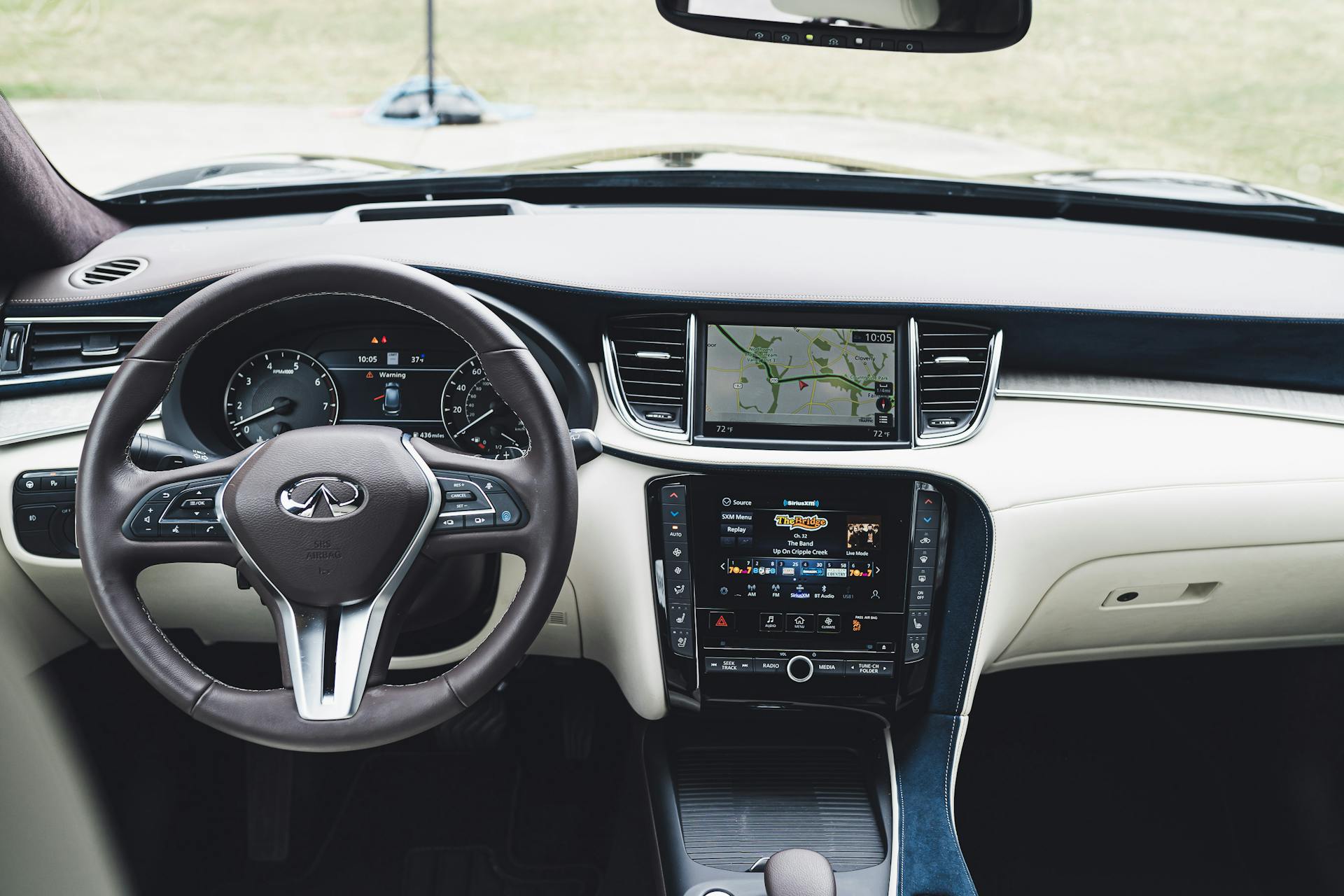
Staying connected while keeping your eyes on the road has gotten a lot easier. With Android Auto, your phone and your car can now work together in a way that fits everyday driving. This is especially true during colder months when you’re balancing early alarms, icy roads, and the unpredictability of city traffic.
The Infiniti Q50 Android Auto feature is more than just a connection tool. It brings familiar apps onto your car’s screen and makes things like calls, music, and maps part of a safer and smoother ride. For city drivers heading through Queens, NY, in mid-November, it’s a practical way to keep your focus where it needs to be without giving up your playlist or driving directions.
What Android Auto Brings to the Infiniti Q50
Modern driving isn’t just about the engine or build anymore. Features like Android Auto shape how we interact with the road and with everything happening outside the car. Inside the Q50, Android Auto gives you a dashboard setup that feels like an arm’s-length version of your phone.
- Voice control lets you text, call, and get directions without looking down
- Google Maps or Waze display on your Q50 screen, helping you find your route when things change quickly
- Music apps like Spotify, YouTube Music, or Pandora make long drives feel less stale
- Incoming notifications are read aloud, which keeps your hands on the wheel and your attention steady
When you start the car and connect your phone, the screen in the Q50 shifts to show icons that resemble your phone apps, just larger, simpler, and easier to press while driving. It’s the kind of system that adds ease without asking for more attention. Once it’s there, you start wondering why it wasn’t always set up this way.
Android Auto in the Q50 feels uniquely tailored to the needs of drivers who regularly face busy city streets, especially during those months when daylight is short and roads are more stressful. Having familiar apps displayed on a big, easy-to-read screen can relieve some of the tension. You don’t need to reach for your phone or split your attention between screens. Instead, your focus stays fixed on driving, with information and tools just a touch or voice command away.
How to Set Up Android Auto in Your Infiniti Q50
Getting started with Android Auto in the Q50 is a quick task once you know the steps. Many drivers already have the needed apps on their phones, which makes it a fast sync.
- Plug in your Android phone using a USB cable, or connect over Bluetooth if your phone supports wireless Android Auto
- On your phone, accept any permissions that pop up, especially access to apps, messages, calls, and contacts
- Once the Q50 recognizes it, your infotainment screen will show the Android Auto prompt
The first time might take an extra minute while everything syncs. After that, the system connects automatically each time you start the car and have Bluetooth turned on. Some Android phones prefer wired setups for faster charging, so it can be worth keeping a cable tucked into the center console.
If things don’t connect right away, restarting the phone or checking your app version can usually fix it. It’s rare that setup becomes a problem after the first drive. Once it’s up, most drivers find the interface refreshingly simple.
If you ever change your primary device or get a software update, the process is just as smooth. Regular app updates from your phone’s app store will keep Android Auto running at its best. And even for those who don’t use a lot of tech daily, the easy-to-read prompts make the transition feel comfortable. It doesn’t involve a steep learning curve, just straightforward steps that get easier every time you use them.
Using Android Auto While Driving Through Queens, NY
Driving through Queens and nearby boroughs can feel like a test of patience during the colder months. You’ve got morning frost, half-cleared side streets, and bumper-to-bumper delays near construction zones. Android Auto plays a small, reliable role during these tougher drives by helping you focus and respond quicker.
- Voice control makes it easier to reroute when there’s unexpected traffic or a detour through Astoria or Flushing
- Streamlined music access means less fiddling when you want to put on a warm-sounding playlist for a chilly morning
- Clear directions show on your car’s built-in screen, so you’re not squinting at your phone
When the weather shifts, early snow, late rain, or just cold gray mornings, you don’t want to scroll through buttons. That’s where the hands-free setup helps. You can say, “Take me to the nearest gas station,” or “Play jazz radio on Spotify,” and it happens in a snap. It’s helpful when your fingers are cold or the car’s just warming up.
Street conditions in Queens, NY, get unpredictable as November turns colder. Potholes, school crossings, double-parked trucks, Android Auto lets you stay alert for local hazards because you are not distracted by your phone. Messages and calls are read aloud so you can respond with voice commands, keeping conversations quick and your mind on the road.
Having music apps at your fingertips, uninterrupted by advertising or search screens you usually see on your phone, can make a big difference. Routine commutes in winter can feel longer, and a familiar playlist often helps. When directions are shown directly on the dash, missed turns are easier to avoid, and changes in traffic patterns seem more manageable.
Common Questions Drivers Have About Android Auto
With new tech comes new habits. A lot of drivers ask practical questions after installing Android Auto in the Infiniti Q50. Most of these are simple once you’ve gotten used to the system.
• Does it drain your phone battery fast?
If you’re plugged in while using Android Auto, your phone stays charged. Wireless setups may use more power over time, so occasional charging helps.
• What apps work best inside Android Auto?
Navigation apps like Waze and Google Maps work well, so do most music and call apps. Messaging apps like WhatsApp or Google Messages work too, but only through voice activation while driving.
• Do you need to update Android Auto through the car?
No, updates come through your phone’s app store. As long as your phone is up to date, the car reads the latest version automatically.
These questions come up often when someone first starts using Android Auto. But once the system becomes part of the daily drive, most people no longer think about managing it. It just works in the background.
For drivers who commute, keeping the phone plugged in means you always have the battery to spare. If you prefer fewer devices connected at once, wireless setups work fine as long as you keep an eye on your power level. Since most apps update in the background, you rarely need to do much maintenance on your end. As you build your routine with Android Auto, you start to rely on its voice features just like you do at home with smart devices.
You might notice over time that your favorite apps get new features or better voice recognition, since everything updates through your phone. Messaging, navigation, and media choices will only expand as new versions launch. It all makes for a system that keeps getting better without any extra effort.
Ready for the Road and the Weather
Heading through another cold season in Queens means dealing with a mix of early frost, later sunsets, and packed roads. Small comforts, like knowing your maps and messages are handled through the dash, start to matter a little more. Infiniti Q50 Android Auto feels like a quiet helper during these months, giving a layer of calm that fits right into the standard driving rhythm.
Our Q50 lineup includes models with advanced safety tech, seamless infotainment, and support for Android Auto, standard on many trims, making it easy to customize your driving experience. As an INFINITI retailer, we constantly update our inventory, so you can always find current models with the features that matter most to you.
Experience the seamless integration and ease of use that Android Auto brings to the Infiniti Q50. At INFINITI City of Queens, we ensure that every drive is enhanced with the latest tech, keeping you connected while focusing on the road. Discover how Infiniti Q50 Android Auto can transform your driving experience through the busy streets of Queens, NY. Reach out to us today to learn more and explore our current selection of Q50 models equipped with these incredible features.
Connect with us

