

Something extraordinary is unfolding
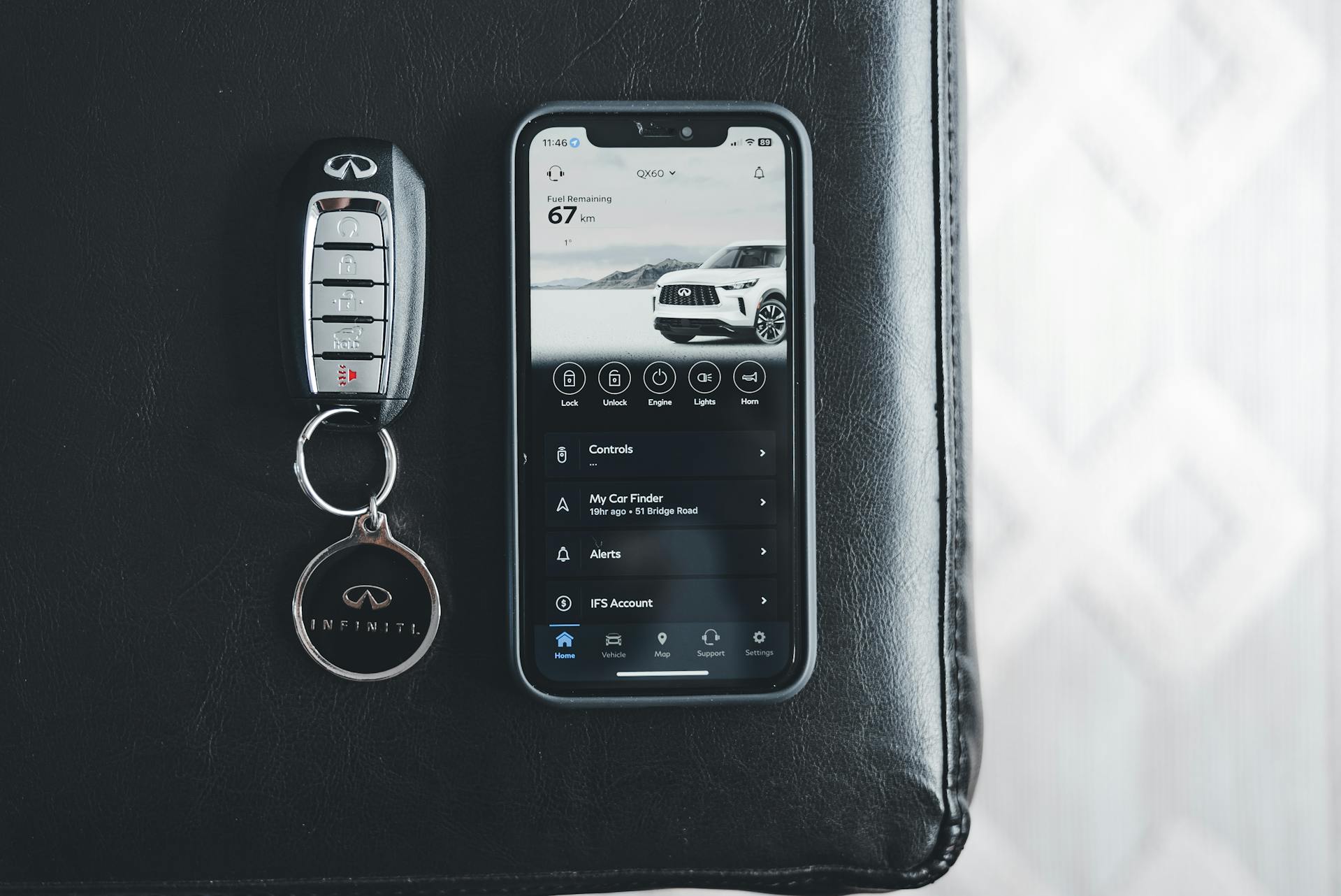
Today’s INFINITI drivers are multitaskers, and their cars are, too. It’s no longer just about gas pedals and steering wheels. With connected systems built into the vehicle, driving becomes more than transportation. Features like remote start, emergency alerts, and smartphone integration help drivers stay a step ahead, especially when the mornings turn icy here in Queens, NY.
INFINITI connected services are designed with real-world driving in mind. They help make daily routines smoother while adding an extra layer of control and confidence. As the colder weather settles in, knowing how these features work can make a noticeable difference. We’ll walk through how to use them, manage your settings, and get more out of your vehicle each time you hit the road.
Getting to Know Your INFINITI’s Connected Technology
Connected services include a wide range of tools, both inside and outside the vehicle. Some are built directly into the infotainment screen, and others work through apps on your phone.
- Navigation systems that give live updates and reroute around traffic
- Remote access tools for locking, unlocking, and starting your car
- Emergency support features like SOS call buttons or crash detection
- Smartphone sync that lets you use calls, texts, and apps directly through your dash
The car and mobile device work together through wireless signals, often using Bluetooth or built-in cellular antennas. Once paired, your INFINITI stays connected to your device, and many features continue updating in the background. It helps make commuting through Queens traffic less stressful by minimizing distractions and keeping you informed along the way.
Using Remote Commands and Alerts to Your Advantage
Cold mornings, unexpected delays, and busy city streets don’t mix well. That’s where remote features come in handy. They save time and reduce those small hiccups that can quickly snowball.
- Remote start lets your car warm up before you’re outside, which is especially useful when temperatures dip below freezing
- The lock and unlock feature helps if you ever forget whether the car’s secured, giving you peace of mind from your couch or desk
- Vehicle location tools are useful for street parking, especially in neighborhoods where spots are hard to come by
You’ll also get alerts if your fuel is low, if something like tire pressure drops, or when your next service is coming up. These timely updates help you avoid surprises, especially when dealing with unpredictable fall weather in Queens.
Staying Comfortable and Safe Through Vehicle Monitoring
Some features focus less on convenience and more on awareness. Vehicle monitoring tools give you insight into how the car’s performing and how it’s being driven.
- Driving behavior reports help track things like excessive speed or sharp braking
- Maintenance tracking tools record mileage and alert you when it’s time to check under the hood
- Navigation tools can send directions from your phone to your dash, reducing the need to fiddle with settings while driving
Automatic emergency calls give a direct line to help after a crash, whether or not you’re able to dial yourself. These systems work silently in the background, and that added protection can feel reassuring, especially when driving during early sunsets or on wet roadways.
Regular use of these features builds familiarity, making it easier to know what to expect if an alert comes up on your dash. By understanding each notification, you can make smarter decisions about maintenance or driving habits. Over time, this proactive approach extends your vehicle’s reliability and helps prevent unexpected downtime, even when schedules shift due to changing weather.
How Weather Impacts Connected Features and What to Expect
Weather can slow down more than your morning commute. When temperatures drop, certain tech functions may respond a little slower or behave differently than you’re used to.
- Cold weather may weaken phone batteries, which can interrupt their signal to the car
- If your car sits overnight, the infotainment screen or connection tools might take a few more seconds to load
- Signal strength can affect things like real-time maps or app syncing
To avoid surprises, we recommend keeping your phone charged fully before leaving the house and updating your app regularly. It helps your remote commands work more smoothly, especially in the early winter rush when a few minutes saved really matters. Take a moment to check your vehicle’s system settings too, making sure any Bluetooth or Wi-Fi options haven’t disconnected overnight.
Adapting your habits to seasonal changes may sound simple, but these steps have a real impact. Making sure your smart devices are ready to connect each morning and keeping your vehicle’s systems current can make daily driving less stressful. By doing so, you minimize potential issues and help your vehicle respond as expected, no matter how chilly the morning gets.
What to Consider When Setting Up or Customizing Your Features
Starting with connected features is usually pretty simple, but it does require a few initial steps. Once everything’s in place, much of it runs automatically.
- First, download the app that’s compatible with your INFINITI and follow setup instructions
- You will probably be asked to approve some permissions for location sharing and message notifications
- Get familiar with the menus within your vehicle to control which alerts or displays you want active
- Choose your preferred navigation routes, daily commute times, or service reminders
These small choices can make the car feel more like your own. For example, turning off maintenance alerts on your busiest days or adjusting guidance volume based on your morning routine can cut down on interruptions and make things feel more intuitive.
Customizing the system’s settings goes a long way toward a trouble-free experience. If several people drive the same car, consider setting up individual profiles so each driver receives their preferred notifications and interface layout. This extra bit of personalization can eliminate confusion and streamline trips, even on hectic days. When you revisit these settings a few times a year, you ensure the technology continues to fit your routines and needs.
Making Everyday Driving Smarter, Not Harder
Infiniti connected services work best when they reflect how you drive. They don’t replace good habits, but they support them. Whether you’re heading into evening traffic on the LIE or warming up the car before stepping outside, these features can help every trip feel a little more manageable.
During colder months, remote tools and real-time alerts go a long way toward keeping your schedule on track. Once you get used to relying on features like remote start or digital mapping, it becomes part of your day without much thought.
Getting the most out of this technology starts with small steps, pairing your phone, exploring your settings, and letting the car work with you, not against you. When technology and routine align, winter driving in Queens, NY, feels a whole lot easier.
Experience seamless connectivity and enhanced driving comfort with our expert guidance at INFINITI City of Queens. Embrace the convenience and peace of mind offered by INFINITI connected services, designed to keep you ahead in any weather and any situation. Reach out to our team today, and ensure your vehicle’s technology is running flawlessly, making every drive in Queens as smart and smooth as possible.
Connect with us

