

Something extraordinary is unfolding
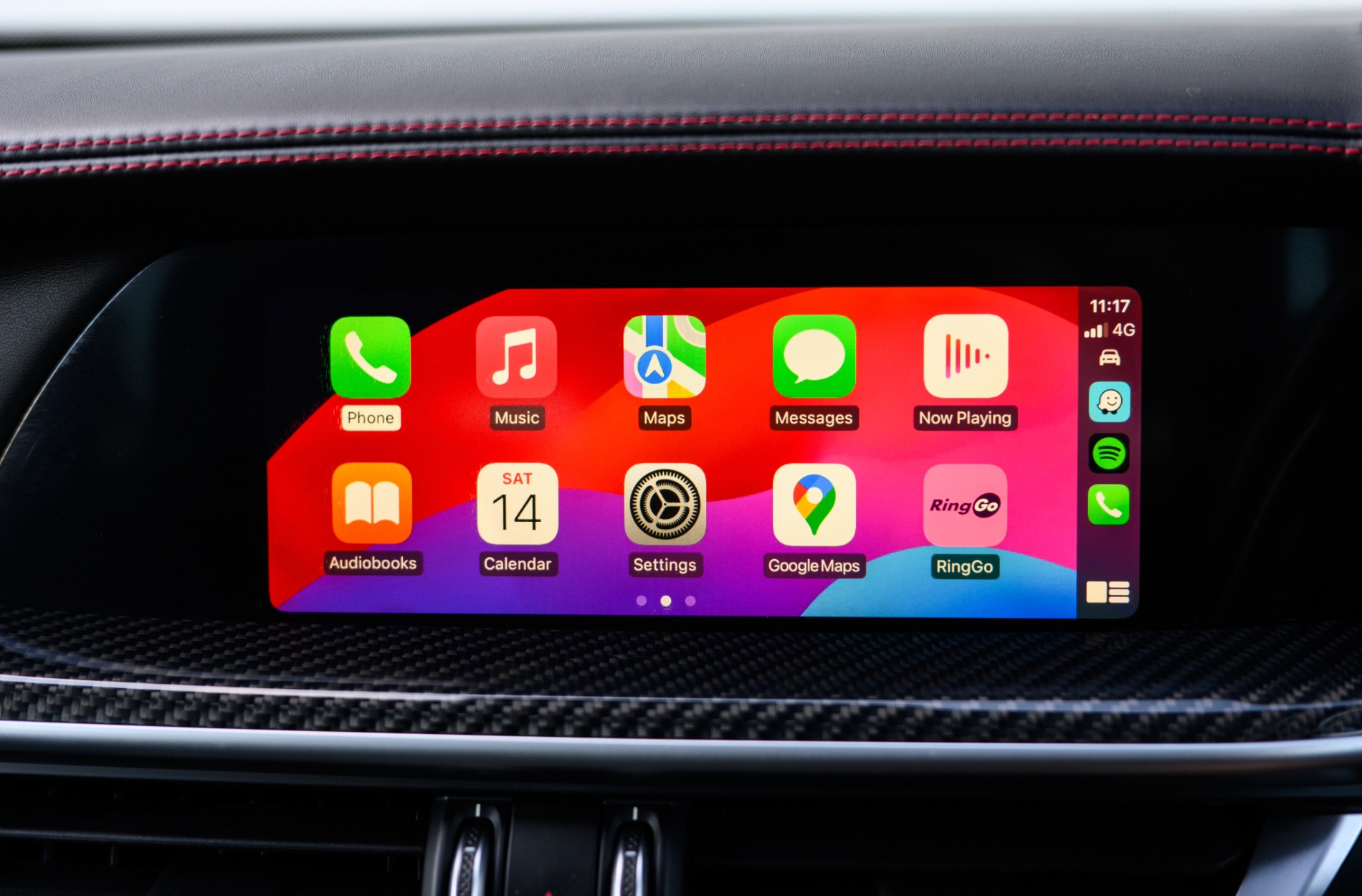
Many INFINITI drivers are already making the most of Apple CarPlay to handle their messages, calls, playlists, and navigation without pulling focus off the road. It’s a smart way to stay connected, especially during winter months when distractions and road conditions can often compete for attention. Getting familiar with Infiniti Apple CarPlay can make everyday driving feel smoother and safer, something drivers across Queens, NY, appreciate when dealing with traffic, icy roads, and packed holiday schedules.
We’re covering everything you need to know to get started with Apple CarPlay inside your INFINITI. From setup to seasonal uses and small tricks that make a big difference, we’ll break it down so you can get more out of your drive without adding any stress behind the wheel.
Connecting Your Device for the First Time
If it’s your first time connecting an iPhone to your INFINITI, it’s good to know what to expect before plugging in.
- Most models support Apple CarPlay when the phone is connected using a USB cable. Some newer models support wireless connection, which will show up as an option when pairing Bluetooth devices.
- After plugging in, you’ll be prompted on your phone to allow access. Make sure your phone is unlocked and Siri is turned on.
- If nothing appears right away, go into your vehicle’s settings menu, then tap on “Smartphone Connection” or “Apple CarPlay” to check if the feature is enabled.
- Pair your phone, approve any pop-ups, and within a few seconds, your apps should appear on your screen.
Make sure your phone has the latest iOS update installed. Older software can block access or prevent features from loading correctly. If you’re having trouble connecting wirelessly, switch to a trusted cable to see if that solves the issue. Some cheaper cords don’t allow data to transfer, which is needed for CarPlay to work.
INFINITI City of Queens offers in-dealership setup support for Apple CarPlay on new and pre-owned models and provides software updates to keep system compatibility current with the latest iOS versions.
Navigating Common Apps on CarPlay
Once CarPlay is live on your screen, you’ll see a grid of icons that look similar to your iPhone’s layout. These are pre-approved apps cleared for driving use.
- Apple Maps opens right away and uses the car’s speakers for turn-by-turn directions. It will also pull routes based on your calendar or recent places.
- Music apps work just like they do on your phone, with pause, skip, and shuffle available from the screen. You can use Spotify, Apple Music, or others you already have installed.
- Messages and phone calls can be handled through voice commands. Saying “Hey Siri, read my texts” or “Call Mom” lets you keep your hands on the wheel.
If you’d rather see fewer icons or organize them your way, go into your iPhone’s settings under General, CarPlay, Your Vehicle. You can drag apps, remove ones you don’t need, and rearrange the screen to match your habits.
Seasonal Uses for CarPlay During Winter in Queens, NY
Cold weather brings more complicated driving days. Between slick roads and heavy traffic near shopping centers, it helps to make full use of hands-free features.
- Apple Maps offers real-time traffic updates. When snow or rain piles up, use it to avoid congested spots around Queens, NY, and get alerts if routes are delayed.
- Weather apps that work with CarPlay can tell you what conditions you’ll face before hitting the road. That makes a difference when temperatures drop quickly.
- Voice commands keep your focus forward. Whether you’re calling family during holiday trips or switching music while driving on wet pavement, CarPlay lets you do it with fewer distractions.
Especially during winter, when gloves make it harder to interact with buttons and visibility is reduced, it feels good knowing you can manage your drive by just speaking out loud. CarPlay won’t replace safe driving habits, but it can help you stay more aware of everything else without having to look down at your phone.
Troubleshooting and Best Practice Tips
CarPlay usually runs without problems, but winter brings its own quirks. Cold weather can slow down electronics and affect how devices talk to each other.
- If your CarPlay screen freezes or fails to load, try restarting your phone first. Some iPhones need a moment to warm up after sitting in the cold.
- Keep a quality USB cable handy, especially if your vehicle does not support wireless mode. Some issues can be traced back to weak data transfer from low-cost cords.
- Keep your iPhone updated. Sometimes a glitch is fixed in a later iOS version, and being behind can cause lag or app crashes during use.
Driving habits matter too. Avoid constantly unplugging and reconnecting your device during short trips. This helps maintain a stable connection. Setting your main apps to launch automatically when plugging in saves time and reduces mid-drive swiping.
Make Driving Easier With Connected Features
Apple CarPlay gives you tools that make winter driving easier. From turn-by-turn directions to spoken reminders and instant access to playlists or weather updates, having it all work through your vehicle’s system means you spend less time fumbling with your phone.
Once you know how to connect it, how to speak commands clearly, and how to keep it running smoothly, it becomes second nature. And once it’s second nature, you’ll find driving feels more comfortable, even during hectic weeks or freezing commutes.
Learning these basics now leaves you better prepared not just for the winter, but all year. A key part of staying safe on the road is reducing distractions, and Infiniti Apple CarPlay offers a smart way to do that without cutting off the features we depend on every day.
Embrace the convenience of modern driving this winter by setting up Infiniti Apple CarPlay in your vehicle. Simplify your daily trips with hands-free access to essential apps, ensuring you stay focused on the road and safe in winter conditions. At INFINITI City of Queens, we’re here to assist you with seamless integration so you can enjoy a smarter, stress-free driving experience. Reach out to our team today to make the most of your INFINITI’s capabilities.
Connect with us

