

Something extraordinary is unfolding
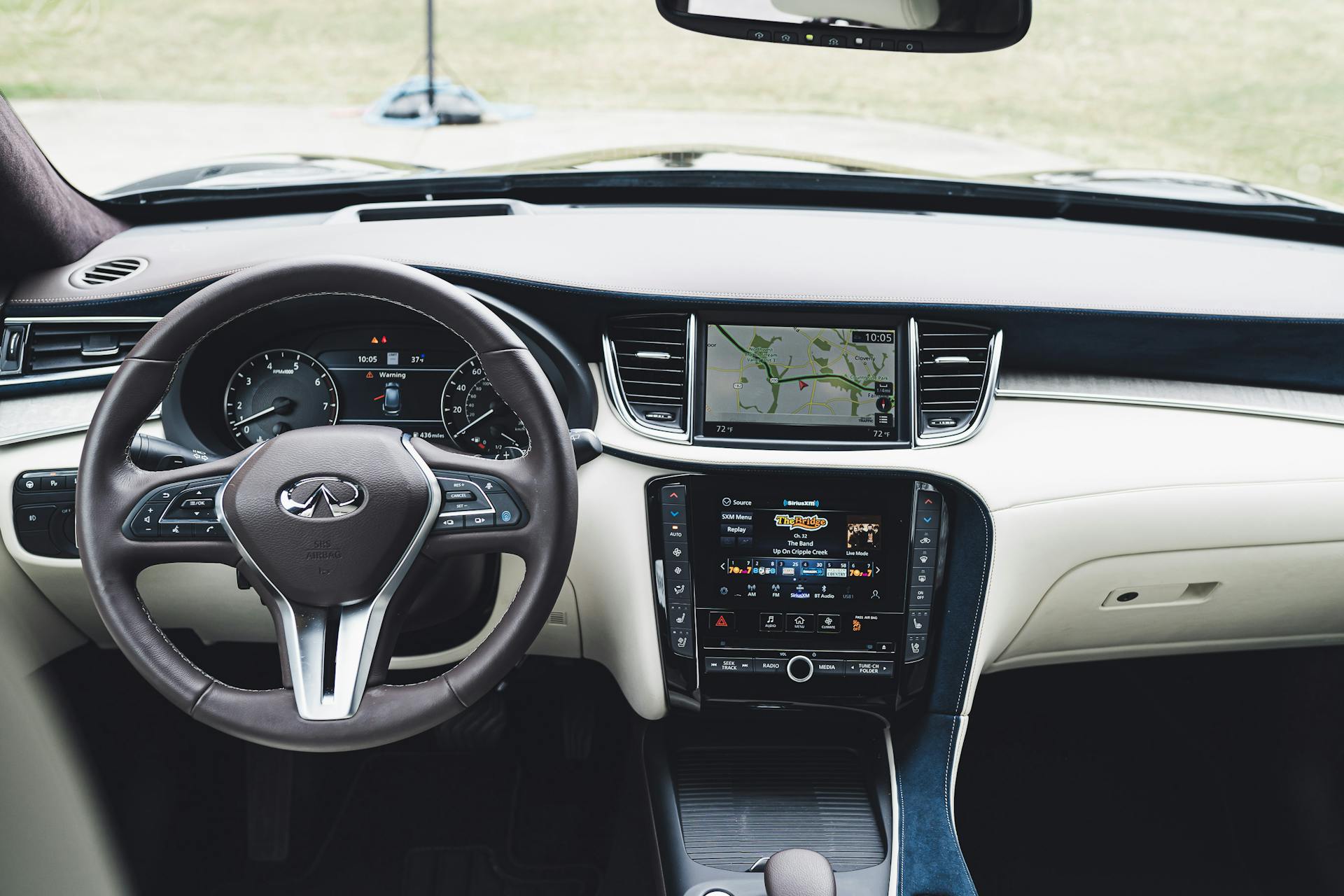
Cold weather in Queens can affect more than your morning routine. It can change how your car responds, inside and out. If you’ve used navigation, music, or voice commands through your phone, chances are you’ve relied on systems like Infiniti Android Auto during your drive. These systems are built to make life easier, but like most electronics, they can act up once the temperatures drop.
During the winter months, especially in January, we see more drivers run into issues with automotive tech that worked fine just a few weeks before. It’s not always obvious what’s causing the glitchy connection or why apps aren’t loading quickly. Knowing what to expect and how colder conditions play into the way your Android Auto setup works can help you get ahead of frustrating delays when you just want to get to your destination.
Understanding How Cold Weather Affects In-Car Tech
Freezing temperatures slow a lot of things down, both outside and under the dashboard. Your in-car technology has to work a little harder in January, especially when you first start your car in the morning.
- The battery might lose strength in cold weather, which can cause a delay when booting up your vehicle’s infotainment system
- The screen itself might feel slow to respond to your touch or take longer to light up fully
- Your phone can also act up if it’s left sitting in a cold car overnight, leading to lag once you try to connect
Our cars rely on electronics that weren’t exactly built for freezing air and icy conditions. Still, these tech hiccups don’t always mean something’s broken. They usually just signal it’s time to adjust how and when you’re using certain features.
Getting the Most from Infiniti Android Auto in the Cold
During the winter, your connections may come with delays, but there are simple ways to keep everything running a little smoother. We’ve seen that small changes to your routine can make a big difference in how Infiniti Android Auto performs during a Queens winter.
- Keep your phone warm indoors until you’re ready to drive instead of leaving it in the car overnight
- Make sure your screen is clean and dry, since extra moisture from melting snow or gloves can mess with touch response
- Give your vehicle a minute or two to warm up before plugging in, this lets the system start evenly without pulling extra power from the battery
Another thing to think about is how features like heated seats or full-blast defrosters can pull power that might delay app or screen performance. If everything powers on at once, something might lag. Letting the car get going before using full features helps reduce strain.
INFINITI City of Queens offers in-car tech inspections and system checks during every winter service appointment to ensure Android Auto works smoothly. Our team helps with software updates, USB cable checks, and compatibility questions at every visit.
Common Connection Issues and How to Avoid Them
It’s frustrating when your phone doesn’t connect the way it should. If you’re already running late, the last thing you want is a frozen screen or sudden app crash. Winter weather often adds just enough difficulty to make your usual Android Auto setup slower or jumpy.
- Some USB cables stiffen or lose their flexibility in cold weather, affecting how securely they stay connected
- Ports inside your vehicle can get damp from snow or water tracked in from gloves or bags
- Older cables with frayed ends or worn connectors may stop working altogether when they freeze
We always keep a close eye on cables and ports when cold-weather issues pop up. Swapping in a higher-quality USB cable and wiping down ports before plugging in are two simple ways to avoid mid-drive dropouts.
Winter Driving Features That Work with Android Auto
Some of Android Auto’s most helpful features really shine during winter drives around Queens. When black ice is on the roads or snowbanks block your view, tech that keeps your eyes up and hands on the wheel becomes more than convenient, it helps keep you moving safely.
- Voice commands help you adjust music, send quick replies, or change destinations without touching your device
- Mapping tools update you in real time about traffic slowdowns or icy street conditions
- Weather apps inside Android Auto can update you about incoming snow or temp drops, which is helpful for longer drives
These tools don’t just make your drive easier, they help you stay focused where it matters, on the road in front of you. Letting voice and display systems pick up more of the work on cold days is a smart move, especially when road visibility is low.
Smart Starts for Cold Mornings Around Queens
Getting out the door on a January morning in New York isn’t always quick. Icy stairs, frosted windshields, and a cold steering wheel slow things down. Making a few changes to how you start up your car can also help your Android Auto connection get going with less hassle.
- Bring your phone inside each night and keep it near room temperature before plugging it in
- Start the engine and give the cabin a minute to warm before launching infotainment functions
- Keep a small cloth or wipe nearby to dry your device before connecting, especially if you’re coming in from sleet or snow
By giving your tech a warm start like you do for your windshield or seat warmers, you make it easier for your whole drive to go smoothly. A little extra prep time can save more time the minute your screen comes to life and everything links up like normal.
Stay Connected Without Cold Weather Hassles
Cold weather doesn’t have to slow down your drive or your tech. Infiniti Android Auto is built to be reliable year-round, but just like with snow tires or wiper fluid, it helps to make small changes in how we use it during the colder months. Setting your phone up the right way, being gentle with frozen screens or cables, and giving your car a little warm-up time makes all the difference.
Driving through cold mornings in Queens, NY, often means unexpected delays, but your connection to maps, music, and hands-free tools doesn’t have to be one of them. With just a few thoughtful habits built into your winter routine, your car’s infotainment setup can stay just as dependable as the rest of your ride.
At INFINITI City of Queens, we know how winter can challenge your daily commute. If you encounter issues with Infiniti Android Auto during these colder months, let us help ensure your vehicle’s tech remains reliable and efficient. Our expert team is ready to assist with system checks and updates, so you’re always connected, no matter the weather. Contact us today for a seamless winter driving experience.
Connect with us

